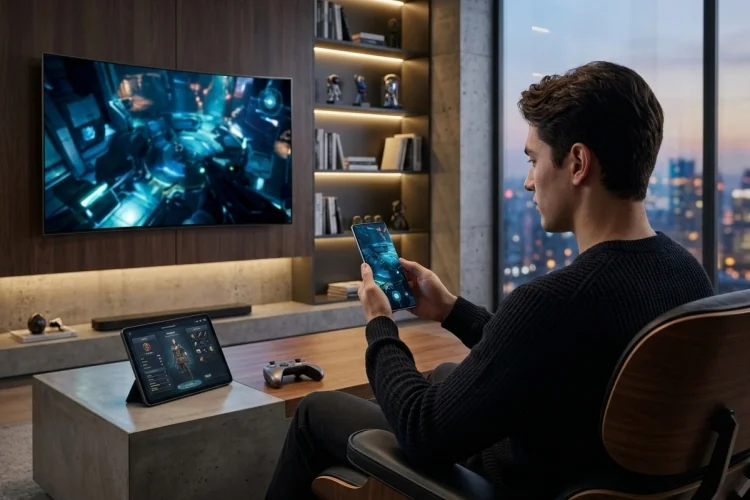
A user puts down a phone, picks up a tablet, turns on a smart TV, or opens the same game on a handheld. From their perspective, they have not started a new experience. They have simply moved somewhere else.
That small difference has huge design consequences. How Device Switching works determines whether digital entertainment feels like one connected ecosystem or a collection of unrelated apps.
Successful cross-screen products need to rethink controls, session boundaries, synchronization, latency, identity, and even when a handoff should happen. The goal is continuity without pretending every screen is identical.
Design Natural Moments for Device Handoff
Not every moment is equally good for switching devices.
Moving a movie from a phone to a television during normal playback is relatively straightforward. Moving a competitive multiplayer game during the middle of a firefight is considerably harder.
Session designers should therefore identify handoff-safe moments.
For a streaming app, almost any playback position can be recoverable. For a game, checkpoints, lobby screens, chapter boundaries, or safe areas may provide cleaner transitions.
Google’s current Better Together initiative focuses on seamless movement among phones, tablets, foldables, laptops, watches, televisions, and other device categories.
Its Continue On feature for Android 17 is specifically designed around moving an ongoing app journey from one Android device to another.
The broader lesson is that a handoff should preserve momentum rather than interrupt it.
Sometimes that means delaying the transition by a few seconds until the system reaches a safe state.
Controls Must Change With the Device
Cross-device entertainment often involves dramatically different input systems.
A phone may use touch gestures. A television usually relies on directional navigation or a remote. A PC might use mouse and keyboard, while a console or handheld uses a gamepad.
Trying to preserve the exact same control structure is rarely useful.
Instead, preserve actions.
A user’s intent might be “pause,” “skip,” “select,” “move,” or “open map.” Each receiving device can map those actions to the most appropriate controls.
This distinction also affects tutorials.
Someone who already understands the game should not be forced through the introductory sequence again simply because they moved from PC to handheld. A small contextual reminder showing the new buttons is usually enough.
The session should remember what the user knows while accomodating how the new hardware works.
Different Screens Encourage Different Session Lengths
Device switching can also change how long people expect to interact.
A television naturally supports longer viewing sessions. A smartphone often handles shorter sessions interrupted by messages, travel, or other tasks. Handheld gaming devices sit somewhere in between.
That means continuation design should account for session granularity.
Imagine a user playing a long strategy game on a desktop and later opening it on a phone. The phone version might emphasize quick management actions rather than presenting every advanced interface panel at once.
The underlying game state remains the same, but the session design adapts to context.
The same principle applies to entertainment discovery.
Browsing a giant catalog with detailed filtering can be comfortable on a tablet, while a smartwatch or television remote may be better for continuing previously selected content.
Cross-screen design is therefore not only responsive design. It is contextual prioritization.
Save State Frequently Enough to Support Spontaneous Switching
People rarely schedule device changes.
They simply stop using one device and expect another to know what happened.
That requires state to be captured often enough that handoff does not depend on users manually pressing Save.
Microsoft’s Game Saves architecture supports local save data that synchronizes with cloud storage so progress can be accessed across supported devices.
Entertainment systems can follow a similar approach even outside gaming.
Video services continuously track playback position. Audio apps remember queue state. Interactive stories can store chapter progress and narrative choices.
The important question is how much progress users are willing to lose.
For video playback, losing thirty seconds may already feel annoying. In a difficult game, losing fifteen minutes could feel disastrous.
Save frequency should reflect the cost of repeating the experience.
Separate Fast Handoff Data From Heavy Content
Another important design choice is deciding what actually needs to travel between devices.
Usually, very little.
A movie does not need to transfer its entire video file from phone to television. The receiving device mainly needs an identity, content identifier, playback position, and relevant preferences.
Apple’s Handoff system works around transferable user activities rather than duplicating an entire application process.
Microsoft’s Windows Resume approach similarly uses application context to understand what activity should be resumed.
This separation can make transitions quicker.
Think of handoff data as a lightweight instruction:
“Open this experience, for this user, at this meaningful state.”
The receiving device can then retrieve the heavy assets itself.
That architecture also reduces bandwidth and lowers the risk of slow transfers.
Make Recovery More Important Than Perfect Synchronization
Real networks fail.
Devices sleep. Batteries die. Applications are killed. Cloud requests time out.
Cross-device session architecture should assume these events will happen.
Android’s continuity guidance explicitly states that apps should maintain context and state so users can resume without disruption after configuration changes.
Although that documentation focuses partly on device and window configuration, the principle is equally useful for cross-screen entertainment.
Every session should have a recoverable state.
If live synchronization fails, fall back to the last confirmed checkpoint. If a receiving device lacks fresh information, clearly ask whether the user wants to continue from its available state rather than silently overwriting newer progress.
Good recovery design often matters more than attempting impossible real-time perfection.
Users can forgive a small delay.
Losing their progress is harder to forgive.
Keep Handoff Invitations Helpful, Not Annoying
Platforms can become too enthusiastic about continuity.
Imagine receiving “Continue on TV?” every time you walk near a television.
That quickly becomes irritating.
Handoff prompts should appear when the system has reasonable evidence that changing screens would actually help.
Watching a long movie on a phone while a linked television is available could justify a suggestion. Reading a thirty-second clip probably does not.
The system can also learn from explicit behavior without becoming creepy.
If a user regularly moves evening viewing from tablet to television, making that route easier is useful. If they consistently dismiss the suggestion, stop pushing it so aggressively.
The best cross-device features often remain invisible until needed.
Discoverability matters, but so does restraint.
Consider Shared Devices and Privacy
A personal phone and a living-room television do not have the same privacy model.
Switching content onto a shared screen can expose watch history, personal recommendations, messages, usernames, or mature material to other people nearby.
This means session transfer should preserve identity without assuming every destination is equally private.
Users may need a quick confirmation before transferring sensitive content. Profiles and parental controls should remain intact, while private metadata may stay hidden until authentication is completed.
Cross-device technology can make entertainment more convenient, but convenience should not quietly bypass user boundaries.
Shared-screen behavior deserves its own design rules rather than being treated like a larger version of the phone interface.
How Device Switching shapes digital entertainment far beyond simple screen resizing.
Good cross-screen sessions account for safe handoff moments, changing controls, frequent state capture, recovery, privacy, and different usage contexts.
Instead of forcing every device to behave identically, preserve the user’s intent and adapt everything around it. Review your session flow from phone to TV, desktop, and handheld to find where continuity still feels like starting over.