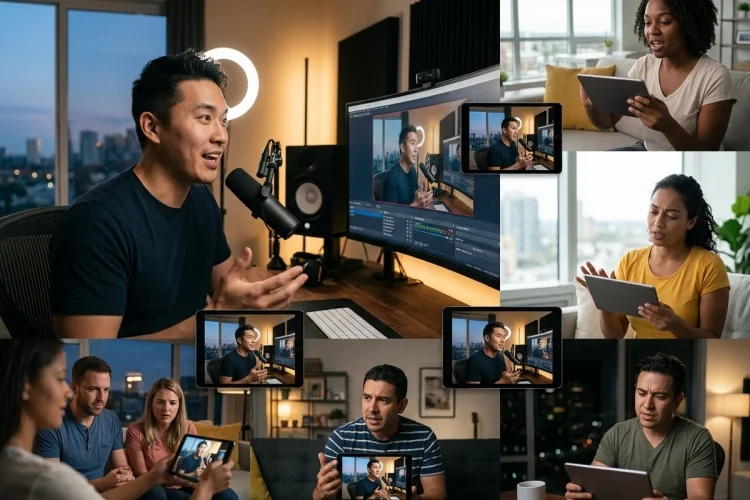
“Low latency” sounds like one simple engineering target, but real streaming systems rarely behave that neatly.
Two viewers watching the same broadcast can experience different delays, and one viewer’s playback position may shift several times as network conditions change. That matters because interactive streaming is built around timing.
How Latency Variance Changes Interaction Quality becomes especially obvious during chat-heavy shows, livestream commerce, multiplayer broadcasts, auctions, watch parties, and audience voting.
When video timing becomes unstable, every interactive layer around that video must decide whether to follow the server clock, broadcaster timeline, or actual playback position.
Live Streaming Contains Several Sources of Delay
A live frame passes through more steps than viewers usually realize.
The camera captures it.
The encoder compresses it.
The stream travels to an ingest service, is processed or transcoded, distributed through infrastructure, downloaded by the player, buffered, decoded, and finally displayed.
Latency can accumulate at every stage.
Amazon IVS specifically notes that delay creeps incrementally through the transmission path and that low-latency playback depends on the complete video architecture rather than one isolated component.
This is important when troubleshooting variance.
If latency rises only for one viewer, the problem may be on their network or device.
If an entire region drifts farther from live at the same moment, distribution or network routing deserves attention.
If everybody gradually falls behind, the player or encoding pipeline may be responsible.
Treat latency as a chain rather than one number.
Jitter Makes Arrival Timing Unpredictable
Packets travel through networks with varying delays.
One might arrive quickly while the next spends longer in a router queue. WebRTC measures this difference through packet interarrival jitter.
Higher jitter forces the receiver to make a difficult choice.
Play media quickly and risk interruptions.
Or hold more data in a buffer and accept greater delay.
WebRTC’s statistics model even exposes jitterBufferTargetDelay, representing the playout delay a jitter buffer estimates it needs to compensate for variability and produce smooth playback.
This explains why two users with similar bandwidth can experience different latency.
Raw Mbps is not everything.
A stable 8 Mbps connection may support a better interactive experience than a connection jumping unpredictably between 5 and 30 Mbps.
Consistency matters.
Buffer Growth Can Create Latency Drift
A live player might begin three seconds behind the source.
After a network problem, it buffers additional video.
Now it is six seconds behind.
Playback resumes smoothly, but unless the player deliberately catches up, the viewer remains farther from the live edge.
Repeat that several times and latency gradually drifts.
This can produce an interesting situation where the stream never technically fails, yet interaction quality gets worse throughout the session.
Modern players can use live-edge control to recover.
For example, playback may run slightly faster than normal until the buffer returns to the target latency. Another approach is skipping forward when drift becomes too large.
These strategies need careful tuning.
Aggressive catch-up can sound strange, create visual artifacts, or annoy viewers.
Slow recovery may leave interactive users far behind for too long.
For a movie premiere, gradual correction may be fine.
For a live auction, several seconds can materially change participation.
Protocol Choice Should Match Interaction Intensity
Different live experiences need different latency classes.
Traditional HLS provides tremendous scalability and reliability, but historically favored those properties over very low delay.
Apple’s Low-Latency HLS extends HLS using features such as partial segments, blocking playlist reloads, playlist delta updates, and preload hints to reduce live delay while retaining HTTP-based scalability.
WebRTC sits closer to the other end of the spectrum.
It is designed around real-time communication and works well for interactive conversations where sub-second responsiveness is important.
Amazon IVS demonstrates this distinction clearly: its low-latency channels can operate below five seconds, while its real-time stages can deliver latency below 300 milliseconds.
Neither architecture is universally superior.
A one-to-many concert with a million viewers has different requirements from a four-person panel discussion.
Choose technology according to the interaction model rather than pursuing the smallest technical latency number.
Shorter Segments Can Reduce Delay but Increase Sensitivity
Low-Latency HLS reduces waiting partly by making smaller pieces of media available earlier.
Apple gives an example where traditional segments might be six seconds long while partial segments could be around 200 milliseconds, allowing clients to receive media much closer to production time.
Smaller units create more opportunities for timely delivery.
They also make network timing more important.
Apple’s HLS authoring requirements connect partial-segment duration to expected network round-trip time and recommend a one-second Part Target Duration, while requiring enough hold-back to protect playback.
This illustrates the larger engineering principle.
Latency cannot be optimized independently from network reliability.
Shrink safety margins too far and viewers begin buffering.
Increase them too much and interactivity feels delayed.
The best configuration depends on real traffic, not ideal laboratory conditions.
Interactive Metadata Must Match the Media Timeline
Live products often carry more than audio and video.
There may be product cards, questions, score updates, polls, advertisements, reactions, or clickable overlays.
If those events are triggered according to the server’s current time while the viewer is six seconds behind, the interface can reveal information before the video reaches the relevant moment.
Imagine a shopping stream.
The host introduces Product B, but a delayed viewer is still hearing about Product A.
If the purchase panel has already switched to Product B, the experience becomes confusing.
Timed metadata is one way of attaching events more closely to media playback. HLS supports timed metadata mechanisms for associating additional information with positions in a stream.
The general design lesson is simple:
If an interaction refers to what users are currently seeing, synchronize it with media time rather than assuming their wall clock matches the broadcaster.
Measure P50, P95, Drift, and Jitter
Average latency is not enough for large-scale streaming.
A service reporting an average of three seconds might still have a significant population watching ten or fifteen seconds behind.
Useful operational metrics include median latency, 95th-percentile latency, viewer-to-viewer skew, rebuffer count, time spent buffering, packet jitter, and live-edge drift.
For real-time streams, WebRTC’s statistics APIs can expose packet loss, jitter, freezes, and jitter-buffer measurements.
Teams can then connect these statistics with interaction outcomes.
Perhaps viewers above eight seconds of delay submit fewer answers to quizzes.
Maybe chat participation stays stable until jitter-buffer delay begins rising.
Perhaps mobile viewers on specific networks experience more drift.
These patterns give engineers something actionable.
Instead of simply saying “the stream felt laggy,” teams can identify which type of instability damaged the experience.
Design Graceful Degradation for Bad Networks
Not every user can receive ultra-low latency all the time.
A good system should decide what to sacrifice first.
Usually, maintaining playback is more important than preserving the absolute lowest possible delay.
Amazon IVS uses adaptive bitrate logic to change video quality and buffer levels as connection quality changes, helping maintain uninterrupted playback.
Interactive products can degrade other features too.
A viewer on an unstable network could receive a lower video rendition while still keeping chat responsive.
A watch party might warn that one participant has fallen significantly behind.
A prediction feature could close according to each participant’s playback timeline where fairness requires it.
Graceful degradation is better than pretending every network is identical.
The system should remain understandable even when ideal synchronization is imposible.
How Latency Variance Changes Interaction Quality is largely a story about consistency.
Live streaming needs enough buffering to survive unstable networks but little enough delay to preserve conversational timing. Track jitter, drift, viewer skew, and high-percentile latency-not just averages.
Then align interactive events with actual playback. Start testing your live experience under unstable network conditions, because that is where its interaction design is truly tested.